 Hypergolic

Nostr, beyond
the feed.
Find and open napplets in one workspace. Bring your Nostr identity and choose how you sign.
Download for Android
ARM64 APKv0.2.0 release notes
Inside Hypergolic
Find your next napplet.
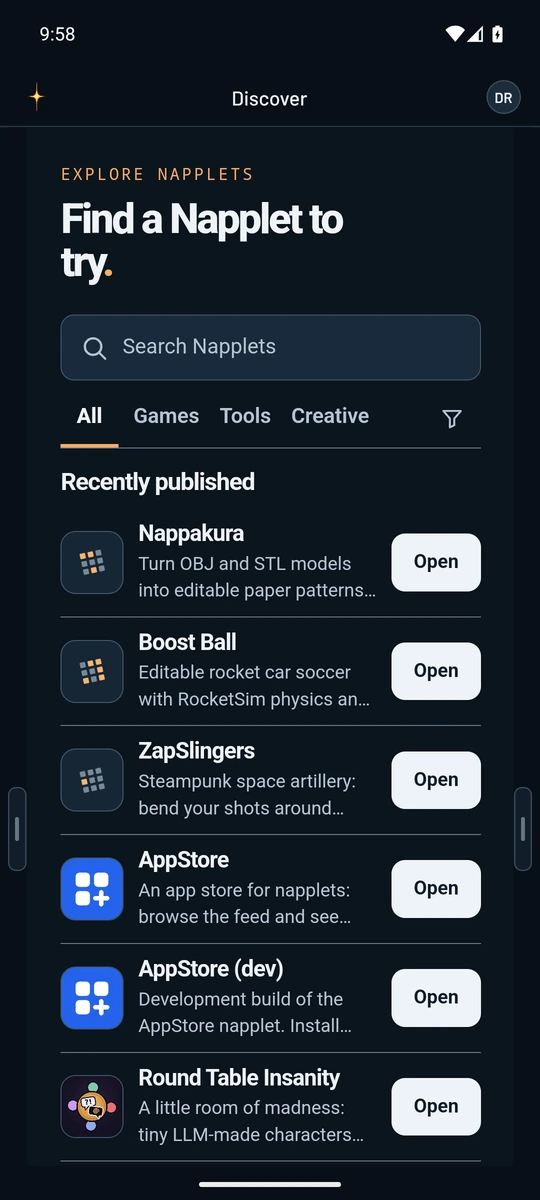
Find a paper-pattern tool or a game of rocket car soccer in Discover. Hypergolic remembers the touch controls you choose for each game.
Discover
Browse published apps and signed recommendations from other Nostr users.
Review access
See who published the napplet and what it asks to use.
Open in your workspace
Switch between apps in Overview. Pin favorites to Home for the identity you’re using.
Choose how you sign.
Use a local key, connect a remote signer, or bring an Android signer like Amber. Hypergolic shows you the event before you approve it. Napplets never receive your private key.
How signing works